A few days ago we published a fairly academic account of how Nora is put together: a reactive Voice and a deliberative Supervisor, two processes on different clocks, meeting only at a blackboard. The architecture post answers why it works. It doesn't answer the question everyone actually asks first:
What does it look like?
So this is the tour. Everything below is a real session in Floodlight, our preview client over the Miriel context engine, with Nora at the center of it.
Your files are a place, not a list#
Floodlight doesn't open on a file tree. It opens on space.
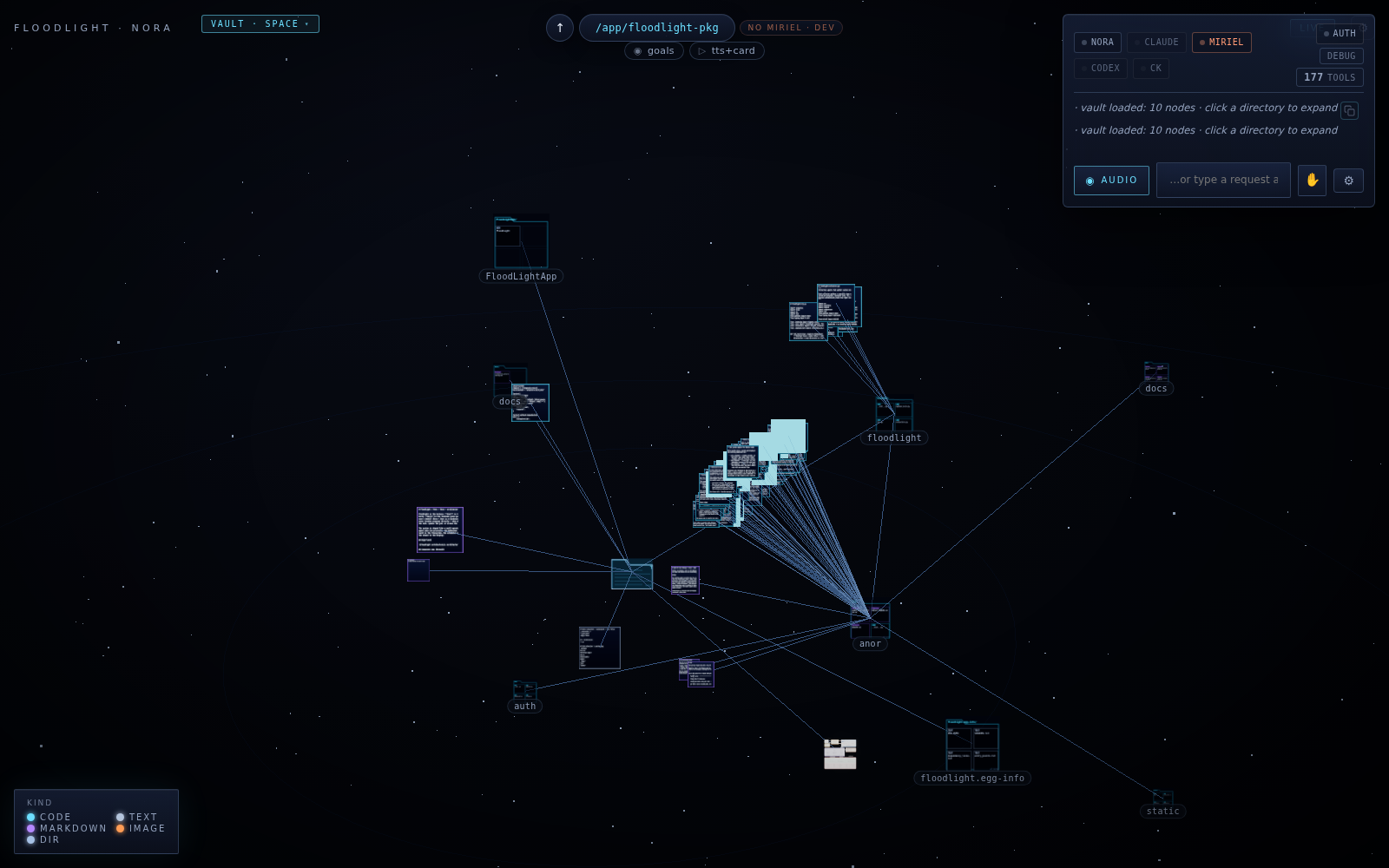 The vault: a project loads as a constellation. Nodes are files — color-coded by kind — and the edges are the relationships between them.
Point it at a directory and the contents load as a constellation: code files, markdown, images, and folders as nodes, with the connections between them drawn as edges. You fly through it, click a directory to expand it, and dive from a whole project down to a single file. The legend in the corner is the entire ontology — code, markdown, text, image, dir — because everything on your machine becomes the same kind of thing here: a node in a space you can see.
In the corner sits the conversation panel. That's Nora — and the roster next to her (Claude, Codex, and Miriel itself, with 177 tools loaded in this session) is the help she can call on. You can talk to her out loud or type; either way, what you say becomes an intent, and intents become work.
Say it, and the machine arranges itself#
Ask Nora to look at a project, and the tools she needs appear in the space, next to the files they belong to. First, a real shell:
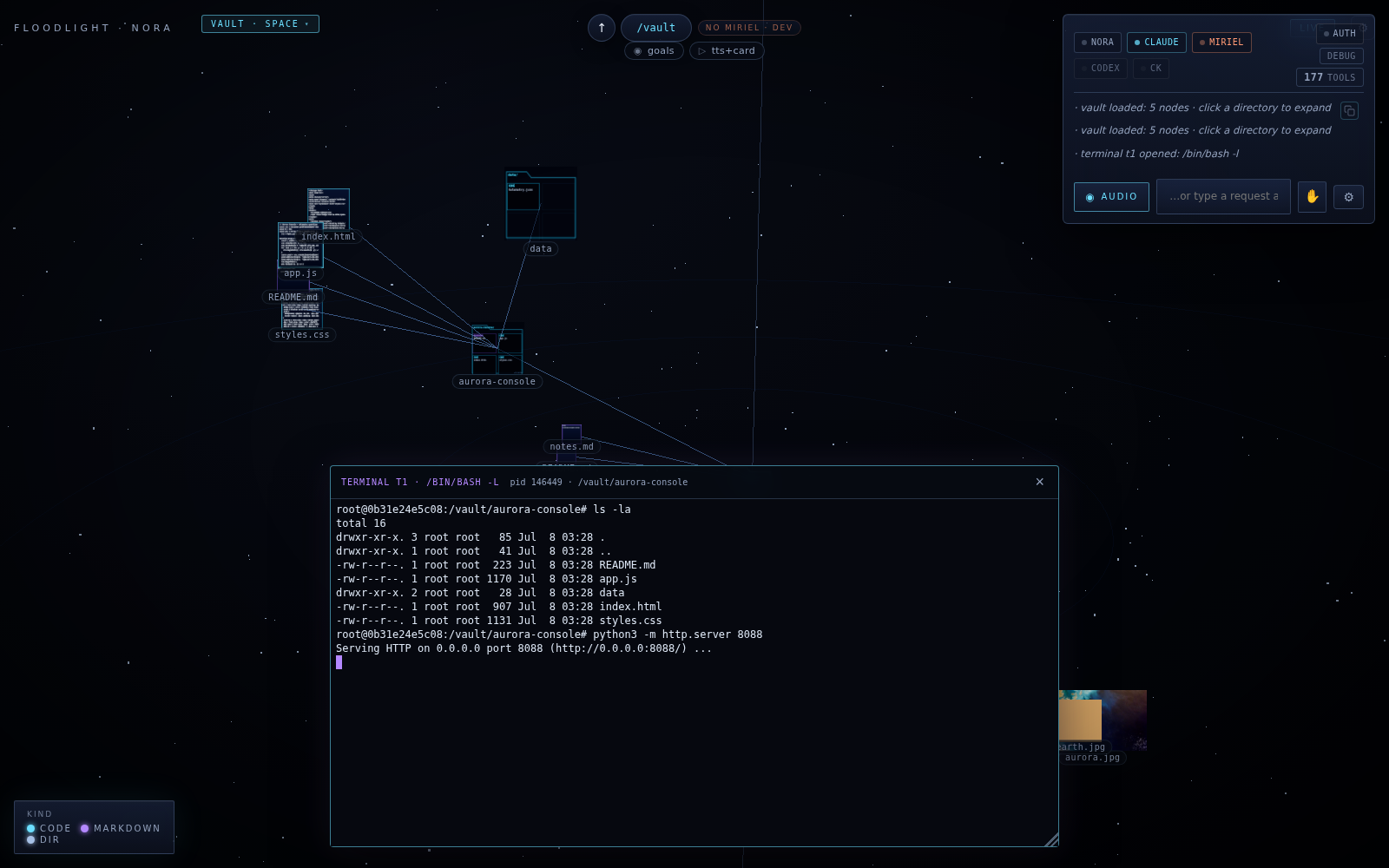 A real shell opens as a window among the project's files. Nora lists the project and starts a local server — the log on the right records `terminal t1 opened: /bin/bash -l`.
In this session, Nora opened a terminal beside a small project called aurora-console, listed it, and started a local web server. A moment later she opened the running page — a little telemetry dashboard — in a browser window right above it:
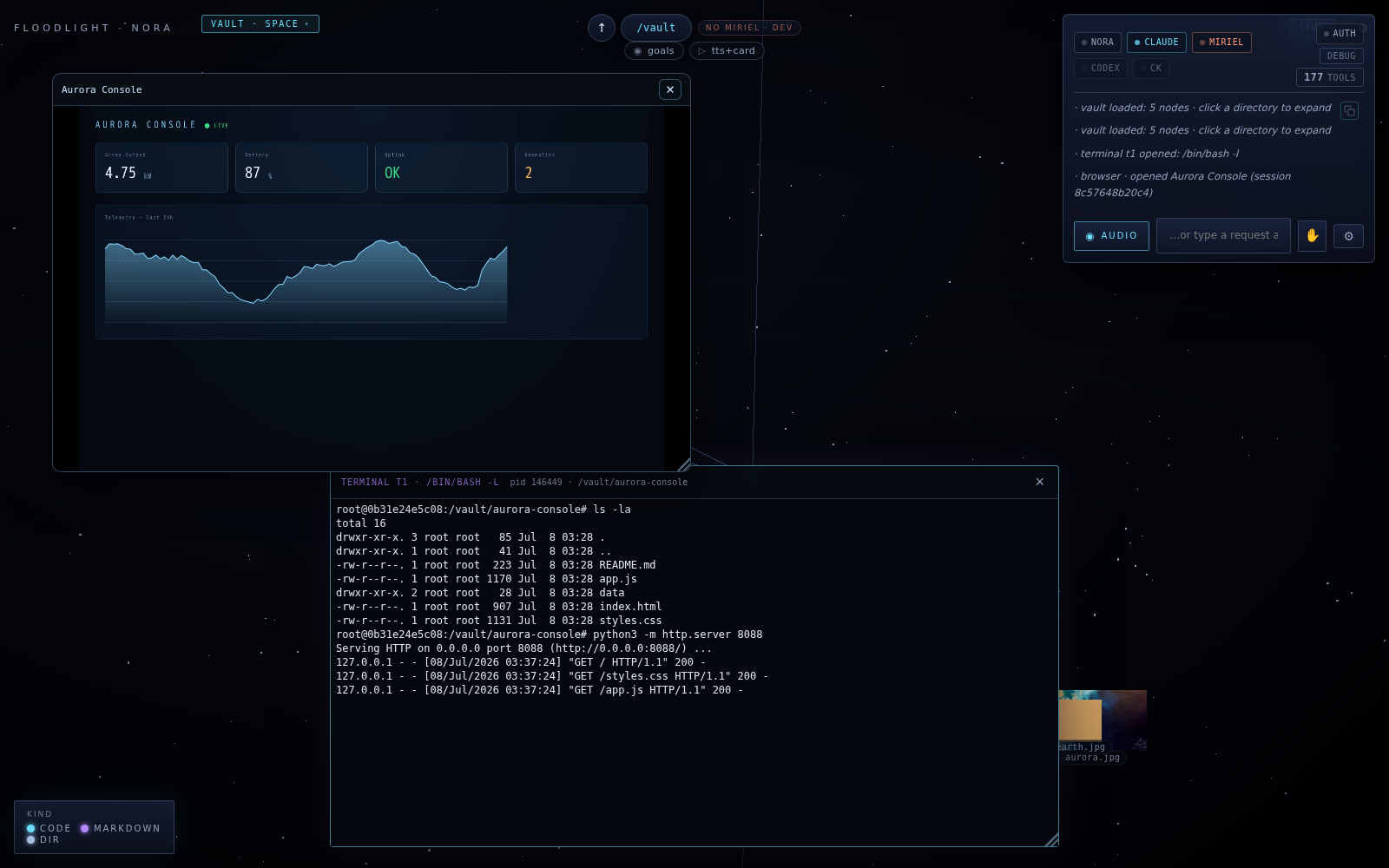 The served page opens as a browser window in the same space — a real browser over a real server, not a mockup.
The activity log on the right reads like a flight recorder: every terminal, every browser session, every action, in order. That's not decoration; it's the observable-by-design property from the architecture post, surfaced in the UI.
Delegation, mid-conversation#
Here's the part that's hard to convey in prose: Nora doesn't stop talking to you when the work starts, because she isn't the one grinding through it.
Asked to review the dashboard and "make the LIVE badge pulse," Nora spun the coding up as a background job for Claude. You can open the job and watch it work, tool call by tool call, with timestamps:
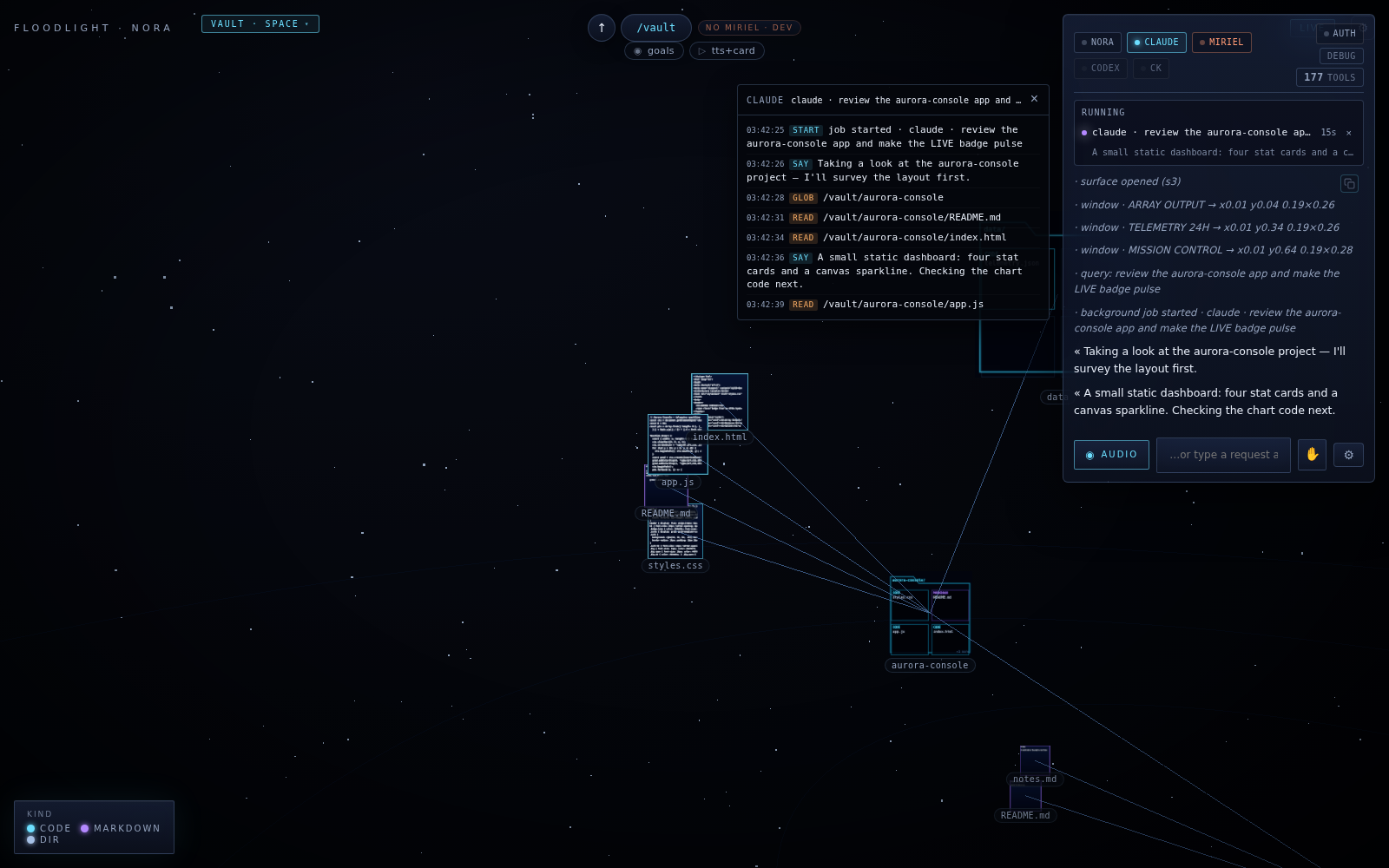 The job, mid-flight: started, surveys the layout, then works through the files — GLOB the project, READ the README, READ index.html, READ app.js — narrating as it goes.
It surveys the layout ("a small static dashboard: four stat cards and a canvas sparkline"), spots an easy win ("the header badge should pulse so a stalled feed is visible at a glance"), creates a telemetry data file, patches the stylesheet, and reports back:
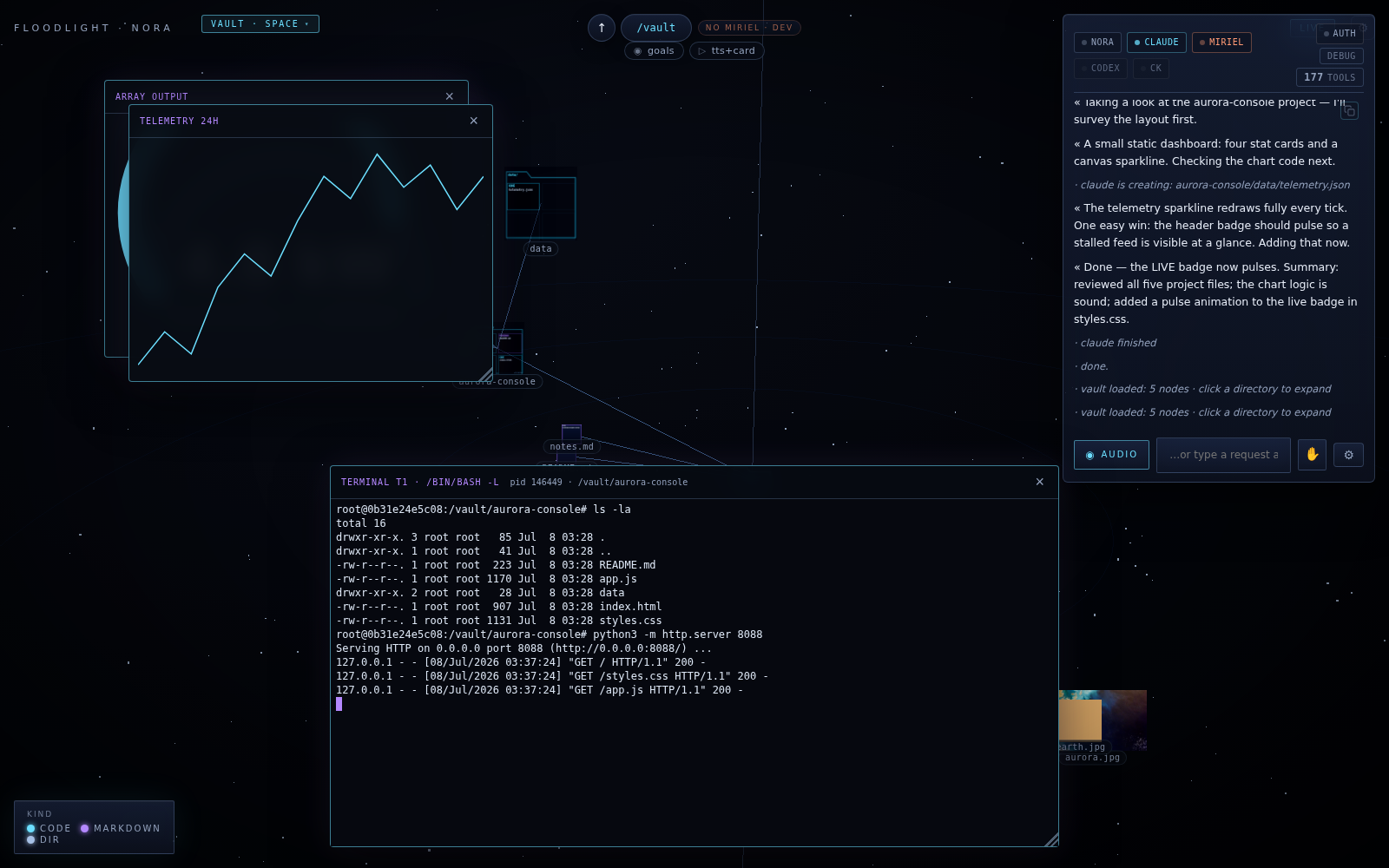 And the landing: reviewed all five project files, chart logic sound, pulse animation added to the live badge. Then: claude finished · done.
While that ran, the conversation stayed open. This is the two-clock design doing its job: dialogue on one clock, work on the other, goals held durably in between.
No app for it? She builds the interface#
This is our favorite part of the preview. When the thing you need doesn't exist, Nora synthesizes it.
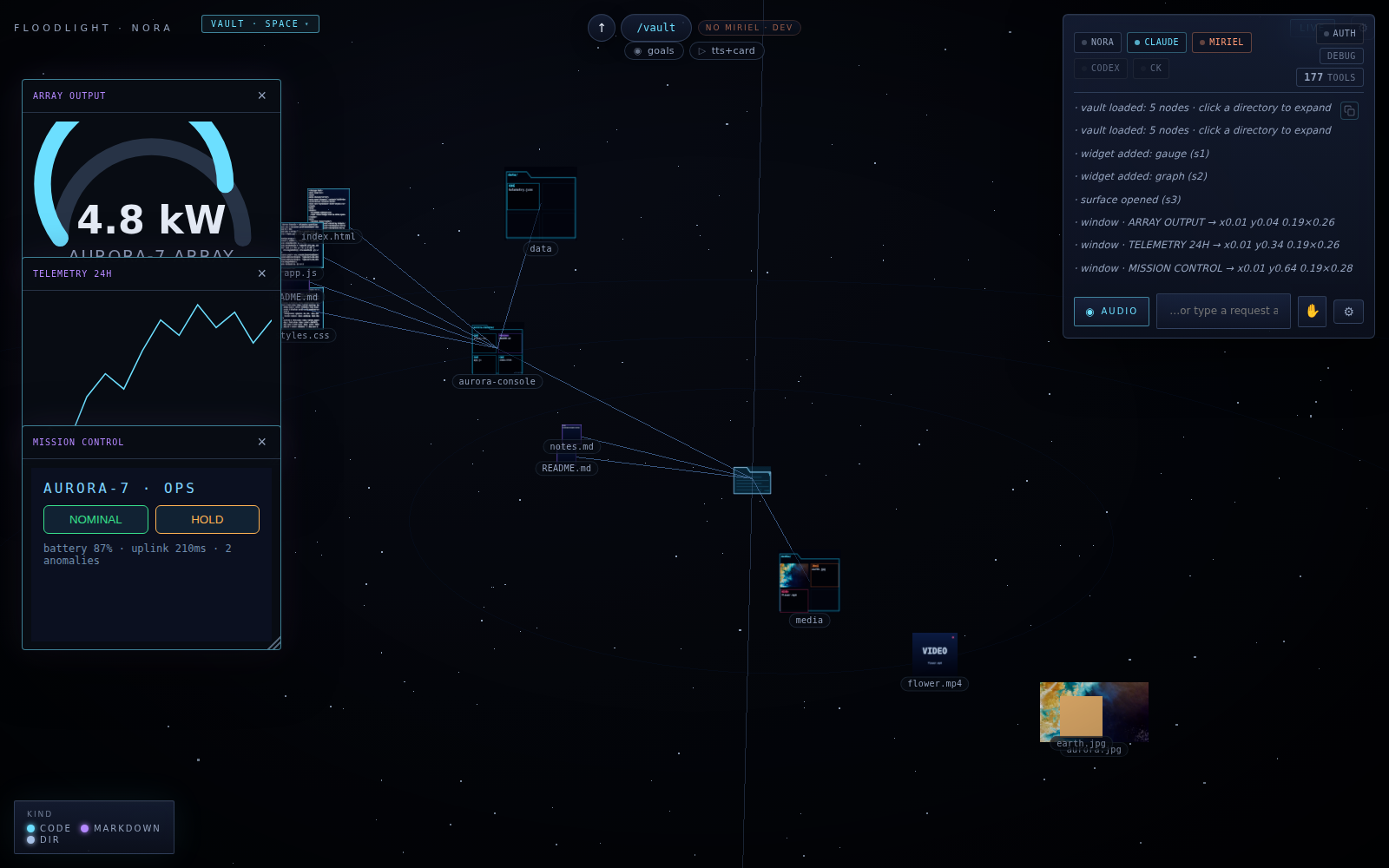 Widgets on demand: a gauge bound to the array's power output, a 24-hour telemetry graph, and a small mission-control surface with live status and real controls — each placed as a window in the space.
For the same telemetry feed, she added a gauge widget bound to the array's power output, a 24-hour graph, and a small "mission control" surface — live status, plus NOMINAL/HOLD controls — and placed each one as a window in the workspace (the log records the exact placements). These aren't screenshots of some other app; they're interfaces that didn't exist a minute earlier, wired to live data. In architecture-post terms: surfaces bound to keys in the cell. In practical terms: you asked for a dashboard, so now there's a dashboard.
Every file is native — and askable#
Because Floodlight rides on the Miriel context engine, files aren't inert icons. Media plays in place, images render as themselves in the space, and anything can be interrogated.
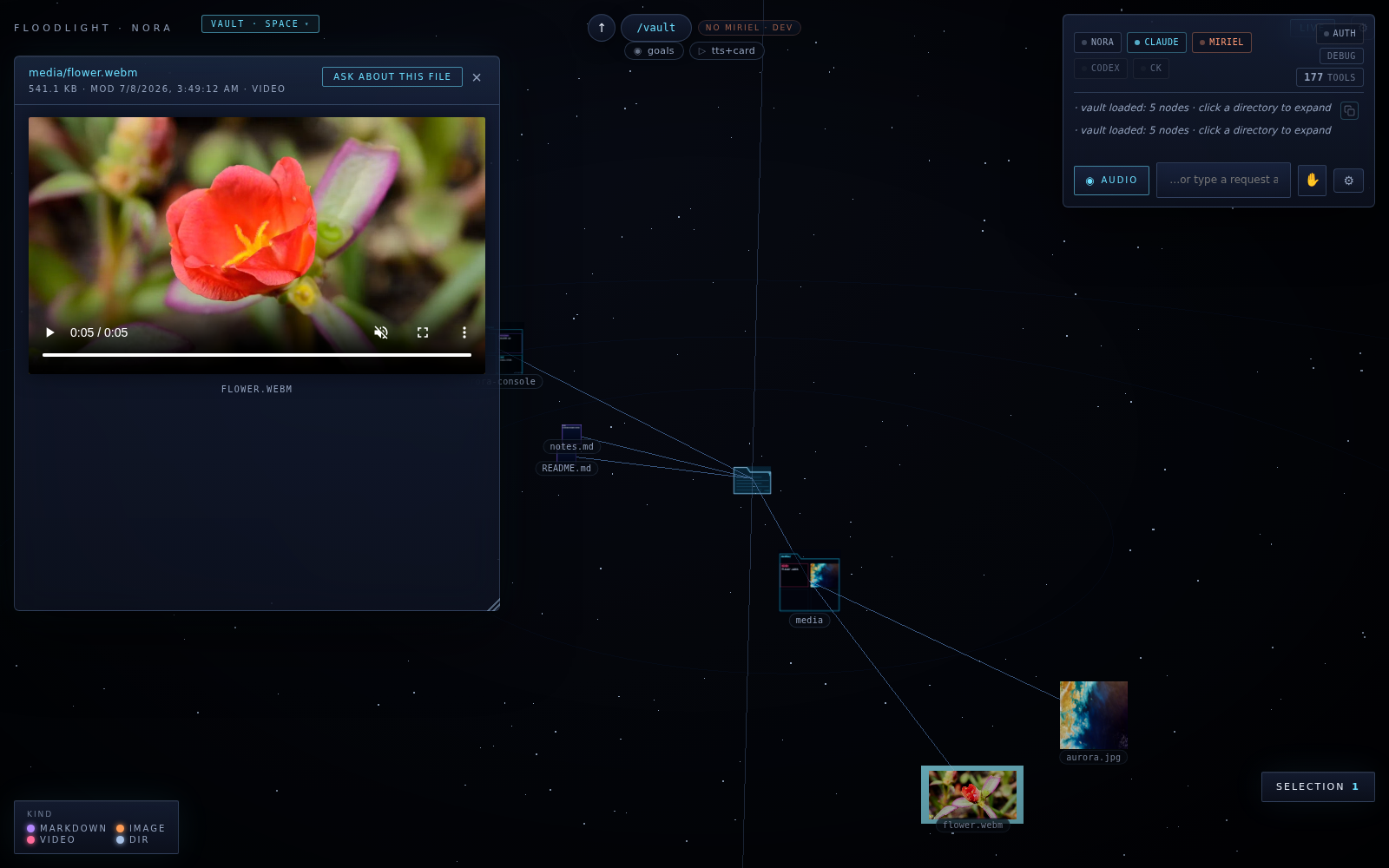 A video plays where it lives — and the button above it is the point: Ask about this file. Everything in the vault is content Nora understands, not just a path she can open.
That Ask about this file button is the whole thesis in four words. The vault isn't a prettier Finder; it's a space where everything has been understood — which is what lets a request like "open the clip with the red flower" resolve to an actual file.
A preview, honestly labeled#
Nora and Floodlight are previews from Miriel Labs — a working concept of what a computer feels like when an agent, not a desktop, sits at the center. The architecture post explains why this holds together under real, messy, minutes-long work; the Nora and Floodlight pages sketch where it's going.
If you want to watch it take shape — or be early when it opens up — join the early-access list. We'll keep publishing what we learn.